

Mock Server Overview
Requesto includes a built-in mock server. Define endpoints, point your app or a Requesto request at them, and get responses back without needing a real backend. It is useful for building a frontend before the API exists, reproducing error cases, or testing against slow responses.
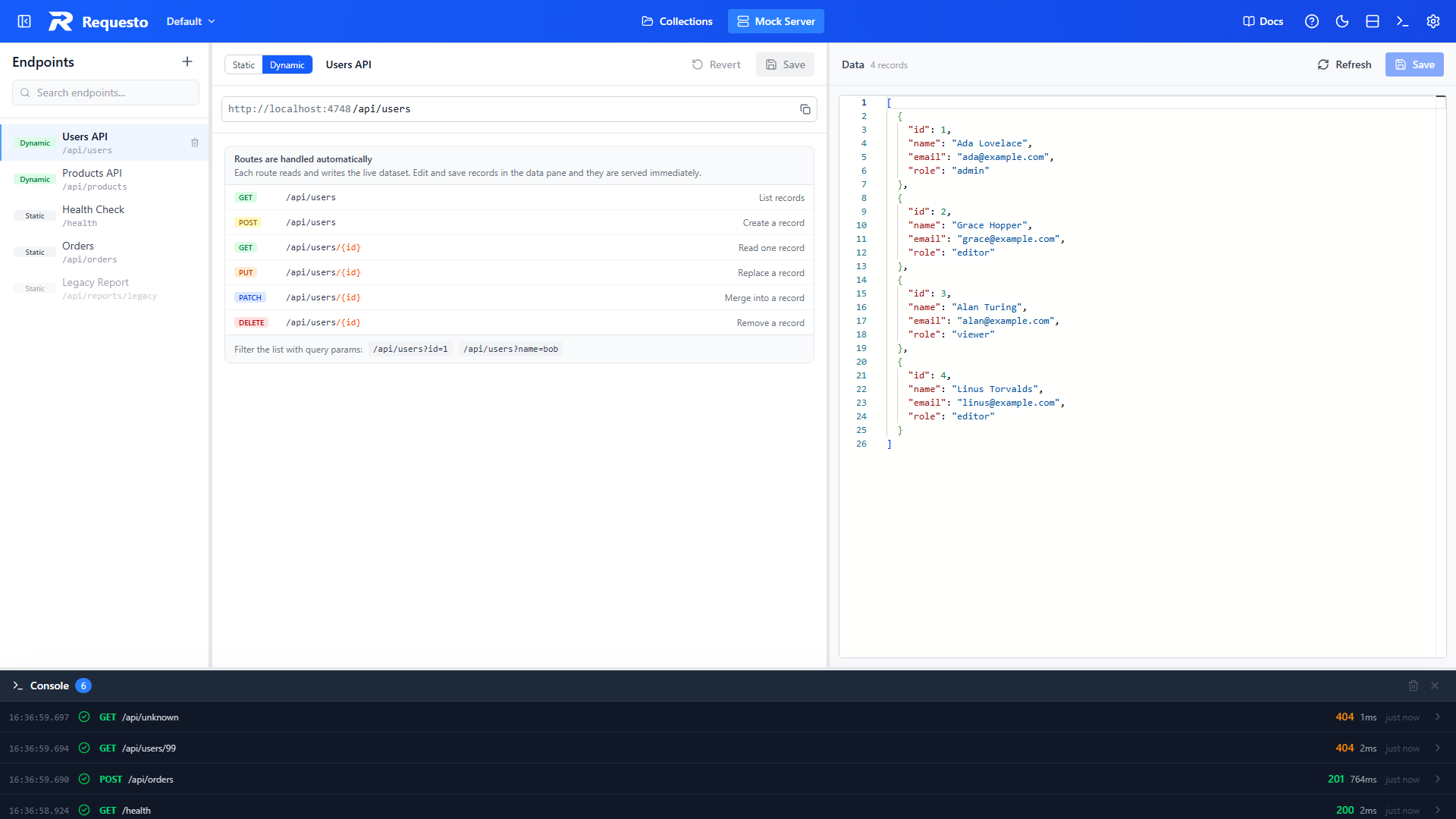
Opening the Mock Server
Use the Collections and Mock Server buttons in the middle of the header bar to switch between your requests and your mock endpoints.
The mock server starts automatically with Requesto and listens on its own port, separate from the Requesto UI:
| Setting | Default |
|---|---|
| Port | 4748 |
| Base URL | http://localhost:4748 |
The base URL is shown in front of the path for every endpoint, so you always know exactly what to call. Use the copy button at the end of the URL bar to copy the full URL.
To use a different port, set the MOCK_PORT environment variable before starting Requesto. See Docker Deployment if you are running in a container.
How It Works
- Endpoints are matched by path. The most specific match wins, so
/api/users/mebeats/api/users/:idwhen both exist. - Matching ignores case and trailing slashes.
- Changes take effect as soon as you save. There is nothing to restart.
- Any origin is allowed, so browser apps can call the mock server directly without CORS errors.
- The mock server serves the endpoints from your active workspace. Switch workspaces and you switch endpoints.
Static vs Dynamic
Every endpoint is either static or dynamic. Pick the one that fits what you are mocking, and switch at any time with the Static / Dynamic toggle in the editor.
| Static | Dynamic | |
|---|---|---|
| You provide | A hand-written response for each method | A list of JSON records |
| Methods served | Only the ones you add (GET to start) | GET, POST, PUT, PATCH, and DELETE |
| Status code, headers, delay | Set per method | Standard REST status codes |
| Body formats | JSON, XML, HTML, or plain text | JSON |
| State | None. The same response every time | Changes are saved. A POST adds a record that later GETs return |
| Best for | Fixed responses, error cases, slow responses, non-JSON bodies | Prototyping a full CRUD API |
Switching modes keeps your work
Static responses are kept when you switch an endpoint to dynamic, and the dataset is kept when you switch back. Nothing is lost by changing your mind.
Where to Next
- Creating & Managing Endpoints: create, edit, duplicate, and disable endpoints
- Static Endpoints: hand-written responses with status codes, headers, and delays
- Dynamic Endpoints: a full CRUD API backed by a dataset
- Calling & Debugging: use the mock server from Requesto or your app, and read the request log